
Microsoft Kills the Blue Screen of Death After 40 Years: Meet the New Black Screen of Death
Published: July 24, 2025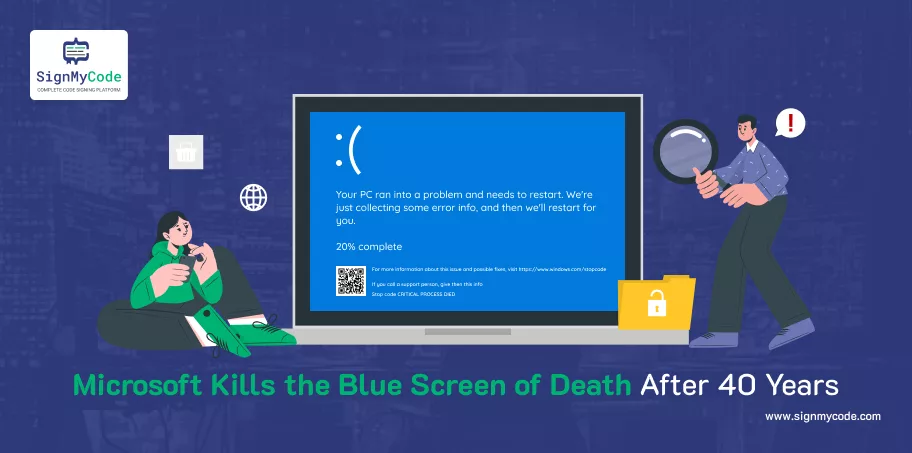
Microsoft just made history. But not the kind you’re used to. For nearly four decades, the Blue Screen of Death (BSOD) haunted Windows users. One minute you’re sipping coffee. Next, your screen goes blue with a sad emoji and cryptic codes.
However, Microsoft has now officially pulled the plug on this iconic crash screen.
The New Crash Reality
The BSOD has forever been the trademark of a horrible disaster. In the event of a defective driver, corrupted memory, or a buggy update, the screen was the place where the user encountered the variants at their worst, with little explanation and fewer hints.
The idea of a blue screen with a sad face and an indecipherable stop code was already trapped in the memory of millions. However, such times might not be too far.
Microsoft states that the decision to retire BSOD is due to an attempt to make Windows not only more resilient but also easier to deal with when a system failure occurs.
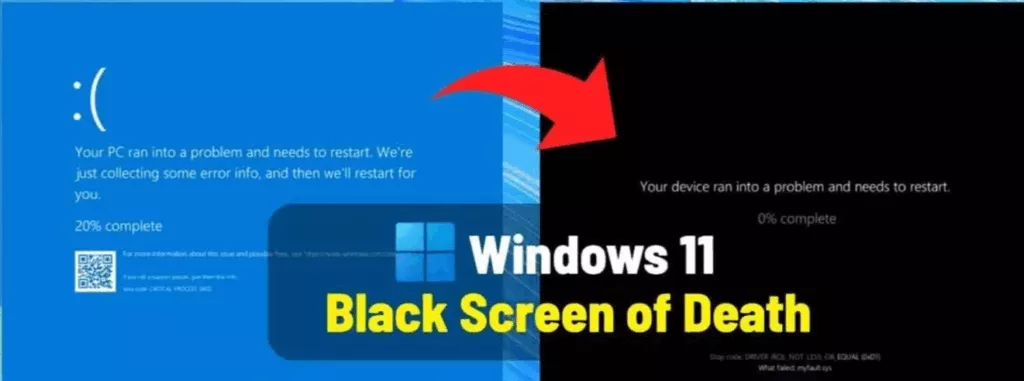
The new black Screen of Death, which appeared in the most recent exclusive Windows 11 builds, now arrives with build 26100.4770 updates in the KB5062660 patch. This update brings a totally revamped interface with a design reflecting the Windows 11 minimalist design language.
Recommended: Microsoft Retires PowerShell 2.0 in Windows 11
Their counterparts offer a cleaner, less complex presentation where the stop code and faulty driver information are presented more straightforwardly. To speed up search and help diagnostics for power users and IT pros, Microsoft has gone to the extent of assuming a hexadecimal alternative of the stop code.
What Replaces the BSOD? Meet the Black Screen of Death
Microsoft is rolling out a new Black Screen of Death as part of its Windows 11 24H2 update.
This isn’t just a colour swap. It’s a complete design overhaul, aligned with the modern Windows 11 UI.
Here’s what’s changing:
- No more frowny face
- No QR codes to scan under pressure
- Cleaner, more readable text
- A clear stop code with faulty driver info
- A hexadecimal version of the error for easier online help searching
The New Quick Machine Recovery Feature
Microsoft launches “Quick Machine Recovery“. This feature is available in Home, Pro, Education, and Enterprise editions starting with build 26100.4770 (after installing KB5062660).
It’s enabled by default on Home editions and configurable by IT admins on managed devices. This isn’t just a fix. It’s a lifesaver for IT teams and everyday users alike.
Waiting for IT to fix a broken PC is productivity’s biggest killer. Enter Quick Machine Recovery, a genius feature that can:
- Detect boot failures automatically
- Connect to Windows Update (yes, even from recovery mode)
- Download and apply fixes
- Remove faulty drivers or problematic software
- Restore your system without lifting a finger
Why Microsoft Act?
The internet was broken by CrowdStrike’s faulty update that could access the Windows kernel. More than 8.5 million computers were frozen. The airports, hospitals, retailers, and banks went dark simultaneously.
It was an attack of a type we tend to expect from nation-state attacks, but in this case, it was done in the interior of the ecosystem.
Recommended: Microsoft Launches Azure DevOps MCP Server in Public Preview
It was not only a technical one. It was a failure in architecture. Microsoft got the hint. Blue Screen of Death, an initially humorous indicator of code crashes on Windows, now resembled a notification signal of something more serious.
As a reaction to this, Microsoft introduced the Windows Resilience Initiative not as a way of preventing the crashes but of preventing the mess that ensues from the crash.
That is to remove the antivirus vendors from the kernel. Creation of a cloud-based recovery that operates in the background. Decreasing the visibility and making failure more repairable.
According to David Weston, VP of OS Security at Microsoft, “This is really an attempt at clarity… so we can fix things faster.” The new black screen is faster to load, more informative, and designed for real-world recoverability. Microsoft even cut restart recovery times to just two seconds for most users.
Microsoft’s goal is simple:
- Reduce downtime.
- Avoid panic.
- Give users and businesses control back.
Microsoft says this is just the beginning. Future updates to Quick Machine Recovery will include. Advanced admin tools for enterprise remediation, Real-time monitoring dashboards, Deeper policy and rollout controls, and Tight integration with tools like Intune.
One Last Tip
Keep your Windows kernel-mode drivers secure and compliant by signing them with an EV Code Signing Certificate. It’s one of the most reliable ways to prevent crashes caused by unsigned or tampered drivers, especially as Microsoft tightens kernel access. Secure your code. Protect your users. And stay crash-free.

Software Signing Certificates
Protect your Application and Software from from Malicious Attacks and Vulnerabilities with Reputed Code Signing Certs.
Cheapest Code Signing Certificates

