Certera OV Code Signing is Cheap Code Signing Certificate to digitally sign software, application, scripts, executable files and protect the integrity of software publishers.
Starting at $215.99/yr
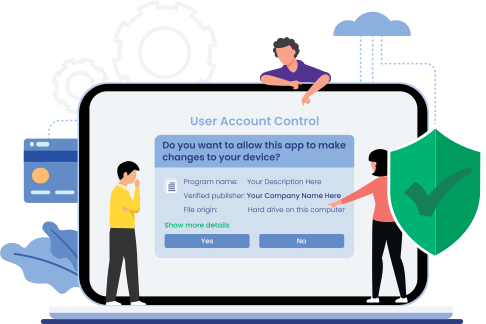

Digitally sign your software, executables, applications, scripts & verify your authenticity to bolster user trust, confidence and downloads with Sectigo formerly Comodo Code Signing Certificate.
Starting at $219.99/yr


Digitally sign software, scripts, applications, and .exe files, and prove its code integrity and authenticity with most trusted and secured DigiCert Code Signing Certificates. Trusted by Fortune 500 companies!
Starting at $399.99/yr

Digitally Sign Windows 10 Kernel Mode Divers using EV Code Signing Certificate & Display Verified Organization Name and Other Details to Users for Enhanced Trust and Downloads.
Starting at $279.99/yr

Tamper-proof your Software and Kernel Mode Drivers with Enterprise-grade DigiCert EV Software Publisher Certificate. Compatible with FIPS-140 Level 2 USB Token & Cloud-HSM Storage.
Starting at $559.99/yr

Code Signing Certificates
Show your Authenticity by Signing your Software
Increase your software adoption and download rate. Prevent unknown publisher warning messages and give a sense of security that software is free from tampering since its signing and coming from a trusted source. Bolster trust and confidence with a globally recognized digital signature provided by respected certificate authorities like Certera, Sectigo, Comodo and DigiCert.
Buy OV Code Signing Certificates

Certera Code Signing Certificate
You Save: $186.34/yr (46%)
Sign Your Software and executables with low-cost software signing certificate and Remove Unknown Publisher Warning.

Sectigo Code Signing Certificate
You Save: $182.34/yr (45%)
Add digital signature to your code or file and let users relax while downloading and installing your software with code signing.
DigiCert Code Signing Certificate
You Save: $99.01/yr (20%)
Digitally sign your code with SHA-2 and 3072-bit or 4096-bit encryption to strengthen software security, authenticity, and integrity.
Comodo Code Signing Certificate
You Save: $182.34/yr (45%)
Prevent Code Tampering and Remove Unknown Publisher Warning Message that scares away software users with Digital Signature.
Azure Key Vault Code Signing
You Save: $100.01/yr (20%)
Secure Signing and Seamless Integration with Cloud Platforms, CI/CD Pipelines and Other Cloud-based Workflows.
Buy EV Code Signing Certificates
Certera EV Code Signing
You Save: $218.01/yr (44%)
Get the highest level of validation for your software or executables using the most affordable EV Code Signing Certificate.
Sectigo EV Code Signing
You Save: $218.01/yr (44%)
Sign unlimited installers and packages with extended validation code signing. Two factor authentication & private key security.
DigiCert EV Code Signing
You Save: $139.01/yr (20%)
Sign windows drivers with robust 4096-bit RSA Signature and securely store private key on FIPS-140 Level 2 USB Token or Cloud HSM.
Comodo EV Code Signing
You Save: $218.01/yr (44%)
Boost your brand’s identity, conversion and reputation by showing verified publisher name as your company name.
Azure KeyVault EV Code Signing
You Save: $139.01/yr (20%)
Digitally sign your Windows 10 Kernel-Mode & User-Mode Drivers and securely store it to Azure Key Vault Cloud HSM.
Buy Individual Code Signing Certificates
Certera Code Signing Certificate
You Save: $186.34/yr (46%)
Quickly sign your code as an individual developer rather than an organization with minimal validation process.
Sectigo Individual Code Signing
You Save: $182.34/yr (45%)
Prove software legitimacy and integrity as verified software publisher with Individual Code Signing Certificate.
Comodo Individual Code Signing
You Save: $182.34/yr (45%)
Boost your Reputation as a Verified Publisher by assuring the Authenticity & Identity of Software whenever User downloading it.
Buy Cloud Code Signing Certificates
Azure Key Vault Code Signing
You Save: $100.01/yr (20%)
Secure your Software in Azure Cloud. No USB Token or Physical HSM Require. No Risks of Private Key Compromised.
Azure KeyVault EV Code Signing
You Save: $139.01/yr (20%)
Sign your Apps, Drivers, Installers, or Scripts and Directly Store it in Microsoft Azure Key Vault (Cloud HSM).
Google KMS Code Signing
You Save: $182.34/yr (45%)
Google Cloud Key Management Service allows you to create and securely store keys on FIPS 140-2 Level 3 certified Cloud HSM.
Google KMS EV Code Signing
You Save: $218.01/yr (44%)
Sign EXE, DLL, Java artifacts and PowerShell directly from Google Cloud KMS Signing without requiring USB Token or Physical HSM.
Advantages of Code Signing Certificate
Code signing is the method to put a digital signature on your software, program, executables, or applications. So, as a software
publisher, you can prove your authenticity & integrity at the time of download and installation to your software users.

Software Integrity
Code signing your software & verifying it with the hash function works as integrity proof for your software. If the hash function fails to match, the user gets a security warning while preventing your software or application from being downloaded.

Assurance & Authenticity
Remove the risk of your software getting corrupted by proving code authenticity. Code signing process assures users that software isn't tampered with since its signing and it's in its original form. In addition, it eliminate unknown publisher warnings.

Digital Software Signature
Prove publisher identity to your users that you're the trusted entity and software is entirely safe to use. By Showing your digital signature minimizes security warnings and confirms that software doesn't have issues while boosting their confidence.

Freeze Digital Signature
Use timestamp to freeze your digital signature on your software. So, even if the Code Signing Certificate you used for signing your software expires, the digital signature remains valid and works as it should without creating issues for software users.

Increased Software Sales
Whether you're a small, big-sized company or an individual software developer or publisher, digitally code sign your executables, software & applications. Give proof of your genuineness and increase the download rate while increasing your company's overall software sales and revenue.

Unlimited Signing
Get a code signing certificate and sign an unlimited number of software files, executables, and applications. Till your code signing certificate validity period is not over, you're allowed to sign as many software and applications without paying any extra charge.
A Single Code Signing Certificate for All Major Platforms
Want to sign multiple software for multiple platforms? Code Signing Certificate provided by CAs Sectigo, DigiCert, Certera & Comodo is compatible with various popular platforms. So get a Code Signing Certificate issued and start signing your software for all the popular platforms.
Starting at $215.99/yr

MS Office Macro

MS Visual Basic


How to Create a Key Vault, Generate CSR and Import Code Signing Certificate to Azure KeyVault?
Want to secure your software or package on Microsoft Azure Cloud Services? Follow the Video and tutorials to learn Code Signing with Azure KeyVault. From Creating CSR to Import Code Signing Certificate.
How to Process & Install Code Signing Certificate Using Yubikey Manager?
Do you have any query regarding Code Signing Certificate Validation or Installation Process? Please check out our video tutorial & follow our step-by-step guide & make your code signing validation & installation process easy.
OV Vs EV Code Signing Difference
| Standard Code Signing | VS | Extended Validation Code Signing |
|---|---|---|
| Standard Verification of Applicant's or Organization’s Identity and Authorization | Validation Process | Rigorous Validation of Applicant's Identity, Authority, And Operational Existence |
| Helps Protect Against Malware and Tampering by Verifying the Authenticity and Integrity of Code | Protection Against Malware | Provides Enhanced Protection Against Malware and Tampering Through Strict Verification Standards |
| Pre-Windows-10 Drivers (Older Versions) | Windows Driver Compatibility | Kernel-Mode Drivers and Windows 10+ Drivers |
| Provides A Basic Level of Trust to Users | Trust Level | Offers A Higher Level of Trust and Assurance |
|
Photo ID And Phone Number for Individual Developers Business Registration Information and A Public Phone Number for Organizations |
Required Documents | Business Registration Information Includes the Actual Office Address, Years of Operation, And A Public Phone Number |
| Using External Hardware Token Or HSM | Two-Factor Authentication | Using External Hardware Token Or HSM |
| Starting with $215.99/Year | Pricing | Starting with $279.99/Year |
| Buy Now | Buy Now |
How Code Signing Works

Why Choose SignMyCode for Code Signing Solutions?
Some important things that set us apart from the rest of the code signing solution providers are:

Solely Focused Towards Code Signing Solution
Many businesses providing different types of digital security certificates like SSL/TLS, Document Signing, and Code Signing. But, if you’re a software developer, then first you should find out how good they’re with code signing solutions. We at SignMyCode, Code Signing solution is our core business. We are entirely focused on offering software signing certs from multiple trusted CA such as Certera, DigiCert, and Sectigo/Comodo).
Easy to Use Interface
At SignMyCode.com, we’ve created an easy-to-use interface that will help you complete all your code signing issuance processes. For instance, once you create your account, you won’t face any difficulty navigating through different steps such as the validation process, or re-issuance steps won’t take much effort, which will help save your time due to easy navigation and smooth purchase process.

One Click Automatic Tool
Once your validity period gets over and if you’re looking to renew your code signing certificate from us, then within your account, there’s an option to automatically process the re-issuance of your code signing certificate by simply clicking one button. Henceforth, once the payment is made and your vetting process completes, you’ll get your renewed cert issued.

Affordable Price
Yes, Code Signing Certificates are costly compared to other digital security certificates. But We purchase Code Signing Certificate in bulk, due to which we ourselves get discounts from CAs. Henceforth we pass on that discount to our customers. So, ultimately, you’ll get the same cert at less price compared to original price stated on CAs website or other code signing providers.
Money-Back Guarantee
You will be able to cancel your code signing certificate order if its at Pending Status within 30 days of the purchase. But once order is activated/ Issued, it cannot be cancelled or refunded by the vendor.

24/7 Instant Support
You’ll get 24x7 support for your queries or issues pertaining to Code Signing Certificate issuance and installation directly from the experts of Code Signing Solution that have years of experience in this industry.

Option 1: Get a USB Token Shipped to You
When you opt for this option, the CA will deliver a USB token to your designated address alongside your purchase. This USB token serves as a secure storage device for your private keys.
Option 2: Using Hardware Security Module
If you already possess a Hardware Security Module (HSM) or USB token that meets the certification standards of at least FIPS 140-2 Level 2 or Common Criteria EAL 4+, you can leverage your existing key storage device allowing you to maintain the security measures you already have in place while seamlessly integrating it into the code signing process.
Option 3: Storing Private Key for a Secure Cloud Environment
For those seeking a more flexible approach without compromising security, this option provides an innovative solution. By utilizing a cloud based HSM and code signing platform, you can securely store your private keys in a protected cloud environment.
Whether you opt for a shipped USB token, utilize your own certified HSM or USB token, or embrace a secure cloud environment, you can trust that your private keys will be protected throughout the code signing process.
Frequently Asked Questions about Code Signing
What are the code signing changes for 2026?
Certificates with a maximum validity period exceeding 39 months will now be reduced to 460 days from March 1, 2026. DigiCert will also stop issuing 2- or 3-year certificate plans after February 24, 2026 while Sectigo still offers multi-year plans but will need to be reissue regularly.
Is my existing certificate affected?
If your code signing cert was issued before the change (Feb 15, 2026) and is valid for longer than 459 days, it stays valid until its original expiration date. It will not be shortened, revoked, or reissued automatically. Timestamped signatures created while it’s valid will continue to verify normally.
How long are code signing certificates valid?
Code signing certificates were issued up to 39 months, or 1 to 3 years. Under the CA/Browser Forum ballot CSC-31, the period has been reduced to around 460 days (approximate 15 months) from March 1, 2026. This enhances security.
How often do I need to renew my certificate now?
After CA/B is approved the new ballot, now all public code signing certificates must be renewed approximately once each year (459-days) since the certificates have a reduced validity period. The time period depends on the certificate and the certificate authority.
What happens if I don’t renew in time?
Not renewing your certificate on time means you can no longer sign new software releases, publish updates, or pass platform security checks. Previously signed applications continued to run only if they were properly timestamped, but development and distribution will be interrupted.
How can we automate the code signing process?
You can automate code signing with the help of CI/CD pipelines, which can include code signing, using secure key management solutions such as Cloud HSMs, Azure Key Vault, Google Cloud KMS, DigiCert KeyLocker, or DigiCert Software Manager.
What happens if I don’t sign my code?
If your code isn’t signed, users may receive security warnings or even get your installation rejected by systems such as SmartScreen or Gatekeeper. Trust levels will also be negatively impacted. This can prevent your application from being approved by various stores or enterprise approval flows.
Why code signing validity change?
Certificate authorities and platform vendors have shortened code-signing certificate lifetimes from up to 3 years down to approximately 459–460 days. This change in regard to code-signing certificate lifetime reduces the risk of misuse, increases software supply-chain security, and encourages faster key rotation to ensure better security practices.
Is my existing code sign cert impacted with the new CA/B changes?
No, You can continue using your active code signing certificate till its expired. Once you reissue, HSM or token is required for the new order.
Can I use my existing token?
Yes, you can purchase a hardware token by yourself and utilize it for storing private keys and Code Signing Certificates. However, you need to ensure that the token aligns with the Sectigo’s policies and verification system.
Currently, you must prefer availing the one from the following list, as they all fulfill the CA/B and Sectigo’s requirements:
- Yubico YubiKey FIPS-compliant Hardware Token (For ECC Keys)
- Thales/SafeNet Luna and netHSM Tokens
Although, the list can get expanded with the change in policies or the introduction of new compliant devices.
What Is a Code Signing Certificate?
A Code Signing certificate is a digital software security certificate that's used for signing your software and embedding your unique digital signature that helps remove the "Unknown Publisher" warning. Similarly, it assures your software users that it's coming from a genuine software publisher and it hasn't been tampered with since its signing. To know more, you can checkout our blog.
How to Purchase a Code Signing Certificate from SignMyCode.com?
To purchase a code signing certificate, select the one you want from the SignMyCode.com website, click the Add to cart button, add your billing address, and complete the payment. After that, generate CSR and submit it back to the CA, and complete the validation process by submitting all the required documents. Lastly, once your validation process is complete, your code signing certificate will be issued.
What if I Have an Issue During Installation?
Suppose you face any issue related to code signing certificate installation. In that case, you've readily available guides. Further, suppose you can't solve it using the guide. In that case, you can even contact our support team, who has years of experience in resolving issues and queries related to code signing certificate installation.
Why Code Signing Is Important & Why Do I Need It?
The Code Signing certificate embeds your digital signature on the software while removing the "Unknown Publisher" warning. Similarly, it helps assure software users that your software is genuine and hasn't been tampered with by any malicious hacker since its signing.
Is it Possible to Get a Code Signing Cert Without a Hardware Token?
Due to New CA/B Forum Requirements, all publicly trusted code signing certs and private keys must be stored on secure hardware or USB token. But there are few alternatives you can consider for secure storage such as cloud-based key storage HSM solution such as Azure Key Vault, Google Cloud, AWS KMS etc or you can utilize your existing on-premises physical device or HSM.
What are the Possible Key Storage Options and Code Signing Methods?
Based on Certificate Authorities and Type of Code Signing Cert, key storage options are different such as Sectigo (Comodo) ships code signing certificates that are pre-installed on Luna Network Attached HSM version 7.x or you can have option of Yubikey FIPS tokens (YubiKey 5 NFC) or Google Cloud KMS. Whereas DigiCert gives options such as DigiCert’s Software Trust Manager, DigiCert KeyLocker, Microsoft Azure HSM (Key Vault), AWS Key Management Service (KMS) and Google Cloud KMS.
Experience Accelerated Certificate Issuance with our Expert Team
Our team of code signing experts is dedicated to expediting your paperwork, ensuring a faster validation process.
- We understand that navigating the paperwork requirements can be overwhelming, but with our assistance, you'll identify the simplest paperwork option for your country. We'll handle completing and submitting all necessary forms, streamlining the validation process for you.
- Our knowledgeable support team is available round the clock to answer your questions about code signing. We are ready to assist you via phone, chat, or email. Whether you need guidance on the overall process or have specific inquiries, we'll provide prompt and helpful support.
- A code signing experts’ team is equipped to troubleshoot and resolve problems swiftly. Rest assured, we'll work diligently to ensure a smooth and efficient validation experience.
- Connect with us now through our convenient live chat feature or reach out to us via email. We're committed to delivering exceptional service and ensuring your code signing journey is seamless and hassle-free.

We are rated 4.8/5
 REVIEWS
Real customer ratings and reviews at
REVIEWS
Real customer ratings and reviews at

I am very grateful to Sienna for helping with my request. She was understanding, responsive, and helpful throughout the process. In addition to Sienna, most of the customer support representatives I interacted with like Finn, Daniel were attentive, and very helpful. Their support made the experience smooth and pleasant.
Great customer service! Daniel was very helpful throughout the OV validation process, providing clear guidance on each step including D-U-N-S registration and Sectigo verification requirements. Highly recommended for first-time certificate buyers.
I finally got around to installing the new Sectigo EV cert token this afternoon. Everything worked the first time with no fuss. The documentation was spot on, the tools just worked, and Visual Studio saw the certificate immediately. Building, publishing and installing it was just as seamless.
Our Trusted Clients






Live Chat
Talk to our 24/7 code signing experts for issuance, validation, and installation help.

24/7 Ticketing Support
Raise your support and sale ticket, we will answer immediately.

Code Signing Tutorials
Code Signing Tools
Why SignMyCode?
Globally Recognized Certificate Authority (CA)
Quick Validation and Issuance by Pro Code Signing Experts
Technical Troubleshooting in Real-Time
24 x 7 Customer Support via Live Chat & Email