
What is JSON Web Token (JWT)? Structure, Features, Authentication & Best Practices
Published: July 28, 2025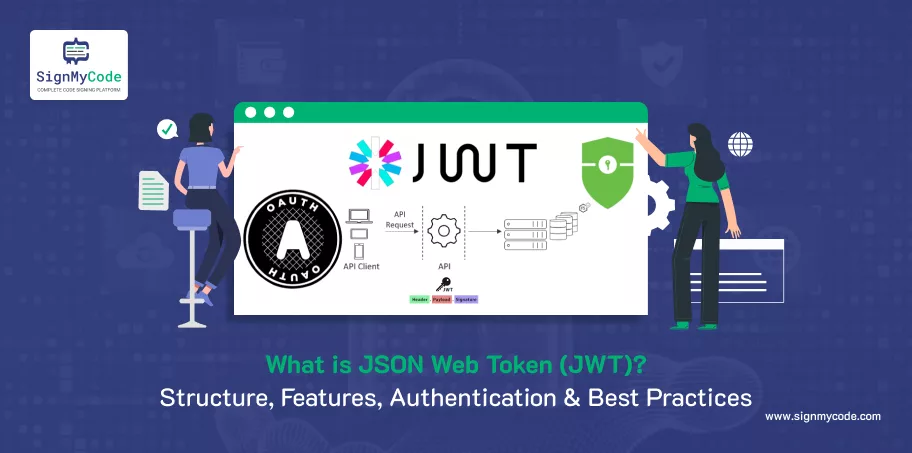
In a world of digital security and authentication, JSON Web Tokens (JWTs) have risen as a secure and lightweight way to transmit user information between services.
JWTs are used for everything from single sign-on to API authorization, and they play a key role in modern web development.
This article will answer the questions of what JWTs are, how they work, and how to use them securely, while referencing five leading articles on the topic.
What is a JSON Web Token (JWT)?
A JSON Web Token (JWT) is a securely transmitted, self-contained token that is URL-safe and can be used to transmit data between parties.
JWTs are used primarily to transmit data in an authentication and authorization context (including RESTful APIs), and they most often apply to stateless systems.
JWTs are different from traditional session-based authentication, which stores sessions in a database, typically in a single persistent session table. In this way, a server issues a JWT, and there is no need to store that session server-side.
The system doesn’t need a session table to track changes to user session data, as everything that needs to be communicated to the client is held in the JWT itself, and it’s verified by a digital signature.
Structure of a JWT
Each JWT has three base64url-encoded parts, separated by dots (.):
- Header
- Payload
- Signature
Example JWT:
eyJhbGciOiJSUzI1NiIsInR5cCI6IkpXVCJ9.eyJzdWIiOiIxMjM0IiwibmFtZSI6IkpvZSIsImlhdCI6MTUxNjIzOTAyMn0.SflKxwRJSMeKKF2QT4fwpMeJf36POk6yJV_adQssw5c
Header
Describe the algorithm (e.g., RS256 or HS256) and token type (always JWT):
{
            "alg": "RS256",
            "typ": "JWT"
}
Payload
Contains claims — statements about an entity (usually the user) and additional data:
{
            "sub": "1234567890",
            "name": "Joe",
            "iat": 1516239022
}
Claims can be:
- Registered (e.g., iss, sub, iat, exp)
- Public (standardized but optional)
- Private (custom fields like role, org, etc.)
Signature
Used to verify token integrity:
HMACSHA256(base64UrlEncode(header) + "." +
            base64UrlEncode(payload),
            secret
)
For RS256, a server signs with a private key, and clients verify with a public key.
How JWTs Work for Authentication?
JWTs are often used for stateless authentication:
- Login: User logged in with credentials or OAuth (i.e., Google Sign-In).
- Token Issued: The Server issues a signed JWT with user claims.
- Client Stores Token: Usually in HttpOnly cookie or secure local storage.
- Send with Requests: JWT is sent in headers (typically Authorization: Bearer ).
- Verify & Authorize: The Server verifies the signature and grants access if valid.
This separates out authentication from sessions, thus allowing horizontal scaling, especially in a microservices or API first architecture.
Key Features of JWTs
- Stateless: No server-side session storage needed.
- Scalability: Perfect for distributed systems and APIs.
- Portable: Can be used across domains and services.
- Self-contained: Can include all claims required in a single token.
- Crypto-Signed: Provides data integrity and authenticity.
- Short-lived: Expiration can be set, further improving security.
Best Practices for JWTs
JWTs are flexible, but should be used carefully to avoid security issues.
Keep Tokens Short-Lived
- Always use exp claim on your JWT; that’s how you set expiration.
- You might also consider using an access + refresh token in case of longer sessions.
Use Strong Signing Algorithms
- Stay away from none as an algorithm.
- RS256 is also preferred over HS256 because it uses asymmetric keys instead of shared secrets, making it more secure.
Never Store Sensitive Data
- JWTs are not encrypted, just signed.
- Never include your password, personal info, or financial details.
Securely Store The Tokens
- Use HttpOnly cookies instead of localStorage to reduce the possibility of XSS attacks.
- If you’re developing SPAs, httpOnly, and Secure cookies, or encrypted storage are great options.
Recommended: What is Blind XSS? How to Detect and Prevent Blind XSS Attacks & Vulnerabilities?
Have a Way to Revoke Tokens
- Even when you are confident about token security, it’s still beneficial to implement token revocation. Always go with short lives.
- Add blacklisting to your lifetime invalidation – consider using an indexed data source like Redis or a regular database.
Recommended: What is Token-Based Authentication?
Rotate Secrets and Signing Keys
- To limit exposure of compromised secrets, perform regular rotations of signing keys.
Validate All the Claims
- Always check iss, aud, exp, and iat.
- Claims on your JWT and should at least validate expected scopes and roles to facilitate granular access control.
When to Use JWTs
Use JWTs when you are:
- Building APIs or microservices
- Providing mobile/web authentication
- Using OAuth2 with a third-party login integration
- Creating scalable, stateless user sessions
Do not use JWTs:
- When you simply need sessions that can be revoked.
- If you are simply making a centralized session state and don’t have service scalability needs.
Conclusion
No challenges exist when releasing desktop software, enterprise applications, or device drivers since SignMyCode helps you meet compliance standards using a trusted digital signature that protects you against privacy issues and is signed before you release it to your app users. Protect your brand and your users against security threats.

Software Signing Certificates
Protect your Application and Software from from Malicious Attacks and Vulnerabilities with Reputed Code Signing Certs.
Cheapest Code Signing Certificates

