
Securing your CI/CD Pipelines with GitHub Actions: DevSecOps in Action
Last Modified: November 4, 2025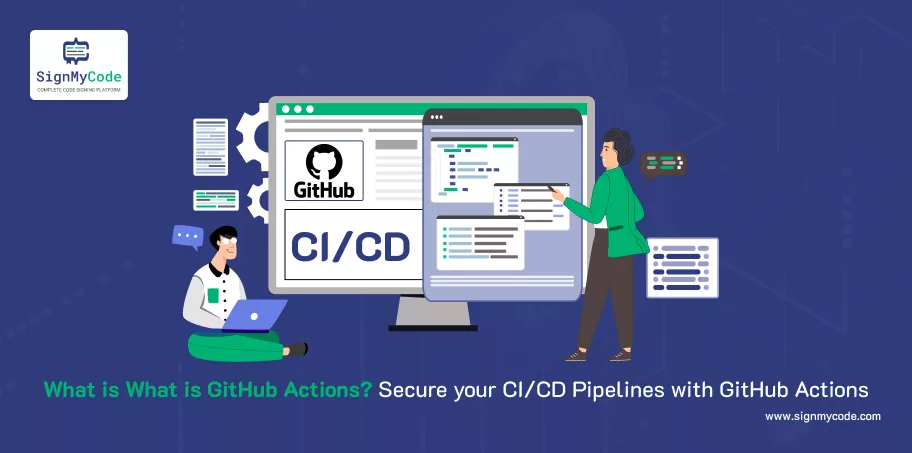
When people talk about securing software, they typically refer to two distinct aspects. The code itself, or the servers it runs on. That makes sense. Those are the most visible parts.
But what actually holds everything together isn’t either of those. It’s the pipeline in between the system that moves code from an idea in a developer’s head to something running in production.
CI/CD pipeline can be easy to overlook because it often feels invisible. You write code, you push it, and somehow, a few minutes later, the new version is live. You don’t think much about the wiring inside the walls. But if an attacker wants to take over your house, they don’t go through the locked front door if they can get into the wiring.
Pipelines are the most powerful lever in modern software. Whoever controls the pipeline controls everything downstream, which is why attackers increasingly focus there. It’s not the obvious target, but it’s the most effective.
What is GitHub Actions?
GitHub Actions is GitHub’s way of letting you automate things. It is a continuous integration and continuous delivery (CI/CD) platform that is directly integrated with GitHub, designed to automate software development workflows.
Recommended: What is GitHub? Top GitHub Security Best Practices for Securing Your Repository
At its simplest, it’s a feature that runs workflows, little sets of instructions, whenever something happens in your repository. You push code, and it tests. You merge a pull request, and it builds. You tag a release, it deploys.
If you’ve ever wished you had an assistant who immediately took care of routine tasks every time you made a change, that’s exactly what Actions does. It’s like a robot helper living inside your repo, always listening and ready to do what you tell it, run tests, build containers, publish artefacts, and deploy to the cloud.
Features and Advantages of GitHub Actions
The reason developers love GitHub Actions is that it feels like it was built into the fabric of their workflow, not bolted on later. It’s part of GitHub, which means it’s where the code already lives. No extra setup, no third-party service to juggle. That kind of integration is hard to beat.
On top of that, there’s the marketplace. Instead of reinventing the wheel, you can pick from thousands of prebuilt actions: lint your code, scan for vulnerabilities, build Docker images, publish to npm. Most of the time, someone has already done the boring work, and you just plug it in.
Recommended: What is a Code Repository? Types, Best Practices and Tools for Repository Security
It also scales in ways that used to feel painful. You can run jobs in parallel, test against multiple versions of a language in one go, or reuse workflows across repositories. It’s the kind of flexibility that makes continuous delivery go from a headache to something that just happens.
And because it speaks the language of the cloud, GitHub Actions connects naturally to AWS, Azure, GCP, and pretty much any service you can imagine. It’s no longer a matter of if you can automate something, but how much you want to automate.
Use Cases for GitHub Actions
The appeal of GitHub Actions really comes into focus when you look at what people actually use it for. At the simplest level, it runs tests every time a pull request is opened. That small change alone, knowing immediately if a new feature breaks something, is worth it.
Consider GitHub Actions to be the Swiss Army knife for your development process. Here are only a few of the actual things you can do with it:
- Unit tests on each pull request to identify bugs before they reach main.
- Orchestrate deployments to cloud services, such as AWS, Azure, or GCP → No more late-night manual deployments.
- Identify threats and vulnerabilities in the code: Take security tools and CodeQL integration directly to the pipeline.
- Manage infrastructure as code (IaC): Set up servers, containers or clusters autopilot.
For many teams, GitHub Actions is quickly becoming a go-to replacement for older CI/CD tools like Jenkins, Travis CI, and CircleCI. Why juggle multiple platforms when you can have automation baked right into your GitHub repo?
What Makes Pipelines Different?
It’s tempting to think of CI/CD pipelines as just fancy automation scripts. A way to avoid typing the same commands over and over. But that misses their real role. Pipelines aren’t just conveniences. They’re the delivery system for your software.
If an attacker breaks into a production server, you’ll probably notice. Logs will light up, alarms will go off. But if they slip malicious code into your pipeline, there’s no alarm. It just looks like business as usual. Code goes in, code comes out. Only this time, it’s carrying something extra.
Recommended: AWS Lambda GitHub Actions Integration: Streamlining Serverless CI/CD
Pipelines are not like that. They not only develop and deliver your software. They frame the collective confidence of users and developers. The controller of the pipeline also determines what will be in production. And that is a whole lot more dangerous than having someone out on the outside jabbing at a server.
Threats to CI/CD Pipeline Security
When people imagine attacks, they often picture some dramatic breach. a stranger brute-forcing passwords or scanning ports. Pipeline attacks don’t look like that. They’re quieter, more insidious.
Here are some top CI/CD threats:
Compromised Secrets Exposed in Logs:
Maybe someone accidentally pushed or hardcoded an API key during a build. attackers now have the keys to your cloud.
Malicious Pull Requests Injecting Hidden Backdoors:
Contributors seem helpful, but with one tiny line of code, they sneak in malware or data exfiltration scripts. If no one notices, that code ships to production.
Supply Chain Attacks Through Third-party Packages:
You trust an NPM or PyPI package. Overnight, the maintainer’s account gets hacked, and a poisoned update slips in. Now it’s in your pipeline… and your production app.
Recommended: OWASP Top 10 CI/CD Security Risks: How to Mitigate?
Why GitHub Actions is Both Powerful and Dangerous?
The thing that makes GitHub Actions so appealing is also what makes it risky. It can run arbitrary code. That means you can automate almost anything. But it also means a small mistake in configuration can turn into a door left wide open.
If a workflow isn’t locked down, it can leak credentials meant only for deployments. It can quietly push malicious code into your main branch. Worse, it can insert backdoors into every future release, so that even if you catch the problem later, the damage is already baked into your software.
Common Mistakes Everyone Makes
Most pipeline vulnerabilities don’t come from exotic zero-days. They come from simple mistakes developers make because they think of pipelines as secondary.
Here are the classic mistakes I see over and over again:
Broad GITHUB_TOKEN Permissions
By default, the GITHUB_TOKEN in workflows has too much power. Many teams never bother tightening it, which means their workflows can access way more than they should. That’s like giving your intern an all-access company badge.
Unpinned third-party Actions
Developers often pull in Actions directly from the Marketplace and just use @main. Its a Big mistake. If that Action gets updated or worse, compromised, you’ve unknowingly invited attackers into your pipeline. Always pin to a commit SHA.
Secrets Shared too Widely
The secrets ought to remain on a need-to-know basis. Teams thereby too frequently place production keys into environments that simply do not need these keys. The result? There is a test job that crashes and leaks your production API key into logs.
Mixing Test and Production Jobs
Having all tests, builds, and production deploy into one workflow seems effective. However, a single variant in a test script may jeopardise production. Keep them apart.
Principles for Securing GitHub Actions
The good news is that securing GitHub Actions doesn’t require inventing anything new. The same principles that work everywhere else in security apply here, too. The trick is remembering to apply them.
The First is Least Privilege:
Every token, every secret, every permission should be granted at the smallest possible scope. Pipelines often default to more power than they need. Don’t give them a master key when all they really need is a room key.
The Second is Trust but Verify:
Third-party actions are incredibly convenient, but they’re still code you didn’t write. Pin them to specific versions or commit SHAs. Audit them occasionally. The point isn’t paranoia, it’s realism. Code changes, and not always in ways that benefit you.
The Third is isolated Environments:
Don’t let pull request jobs touch production secrets. Don’t let tests run with the same credentials as deployments. If something goes wrong in a low-trust area, it shouldn’t cascade into a high-trust one.
And finally, monitor everything. Pipelines are often treated as black boxes: input goes in, output comes out, and nobody looks in between. That’s a mistake. Logs, alerts, and audit trails are just as important here as they are in production. If the pipeline is the nervous system of your software, you need to know when it twitches.
How to Get Started Using GitHub Actions?
The best way to learn GitHub Actions is the same way you learn most things in programming, by trying it. Reading about it only gets you so far. Once you write your first workflow and see it run, the whole system clicks into place.
A good starting point is GitHub’s own documentation. They provide starter workflows you can copy and adapt, which saves you from staring at a blank file, wondering where to begin.
From there, the GitHub Marketplace is like a toolbox full of prebuilt actions. Instead of writing everything from scratch, you can pick and choose what fits your needs.
Recommended: CI/CD for Mobile Apps Streamlining Development Efficiency
Keeping workflows secure and current is just as important as writing them. Tools like Dependabot can automatically update the actions you’re using, so you’re not silently relying on old or vulnerable versions.
The best path is incremental. Start small, write a workflow that runs your tests when someone opens a pull request. Once you’ve seen it work, add a build step. Later, expand it to deployments. Each layer builds on the last, and before long, you’ve got a full CI/CD system humming along in the background.
Conclusion
Securing your pipeline isn’t about building taller walls. Attackers rarely bother with walls anyway. It’s about closing the doors you didn’t realise you’d left open. Most of the big breaches don’t come from exotic exploits. They come from small oversights in places nobody was watching.
The CI/CD pipeline is one of those places. It’s powerful, invisible, and trusted by default. Which makes it both the most valuable part of your software system and the easiest to forget. If you remember nothing else, remember this. “Whoever controls the pipeline controls everything”.
One way to add another layer of defence is by code signing. When you sign code, you’re not just saying, “this works”, you’re saying, “this can be trusted.” With an Azure Key Vault Code Signing Certificate, you can ensure that only verified code moves through your pipeline. It’s like giving your robot assistant a way to check ID before carrying out any instructions.
Cloud Code Signing
Seamless Automated Code Signing Tasks without Need of Physical HSM or Token using Cloud Code Signing Certificate.
Code Signing as a Service

