
CI/CD for Mobile Apps Streamlining Development Efficiency
Last Modified: September 24, 2025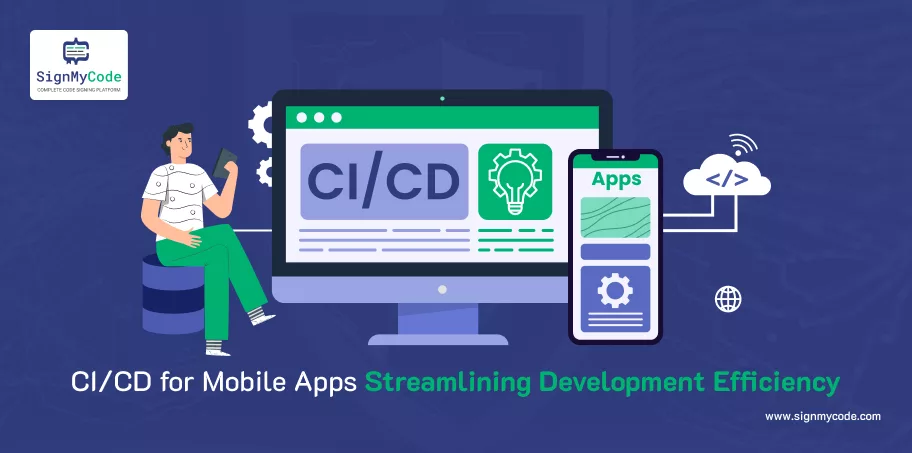
Think of how painful it would be to spend a few weeks creating a mobile app to watch users abandon it because of a faulty update or chronic feature rollout. Your coders are fed up. Your QA team is flooded. And with every release, it is a tightrope walk with the blindfold on. That is the sad state of mobile app development without CI/CD.
But here is what you can imagine: whenever your team pushes code, a test, a build, and a deploy happen automatically. No eleventh-hour rush. No delays. And smooth, quick, trustworthy updates every time. That is the force behind CI/CD (Continuous Integration and Continuous Delivery).
In this post, I’ll show you how CI/CD (Continuous Integration and Continuous Delivery/Deployment) can transform your mobile app development process. You’ll learn what CI/CD is, why it’s crucial for mobile apps, and how you can use it to ship faster, reduce bugs, and keep your team (and your users) happy.
What is CI/CD?
CI (Continuous Integration) is all about automation. Every time you (or anyone on your team) makes a change to your app’s code, CI systems jump into action. They pull the new code, build your app, and run automated tests. This means bugs get caught early before they spiral into costly production issues.
CD (Continuous Delivery or Continuous Deployment) takes it even further. It automates pushing your app through the final stages: staging environments, user acceptance tests, and even deploying to production. Some teams stop at Continuous Delivery, which prepares a ready-to-deploy build. Others go all in with Continuous Deployment, releasing directly to end users.
Recommended: What is Continuous Signing in CI/CD? Importance and Best Practices
You don’t have to reinvent the wheel. There are powerful tools out there that do the heavy lifting for you. Jenkins, CircleCI, Bitrise, and GitHub Actions are just a few. Each helps you automate your pipeline so you spend less time manually building and more time adding real value.
Now, you might wonder: Is mobile CI/CD really that different from web? The answer is yes. With mobile, you have to handle app store approvals, different device architectures, and complex signing requirements. That’s why a solid CI/CD pipeline is not just helpful for mobile apps. It’s mission-critical.
Importance of CI/CD in Mobile App Development
Mobile development is not web development, and this is not even a close comparison.
When you create a website, you are able to deploy changes in minutes. However, when it comes to mobile apps? You are doing device fragmentation, strict rules of publishing in the app store, and review cycles. Make a single mistake, and your update will be delayed up to several days (or even be rejected).
That’s where CI/CD becomes a game-changer. With hundreds of Android devices and multiple iOS versions in use, you can’t afford to test manually every time you push an update. CI/CD ensures consistent, automated builds and tests across devices, screen sizes, and operating systems every single time.
It also eliminates human error. Packaging, code signing, and provisioning can be a nightmare if done manually. A missed certificate or a wrong profile can break your entire build. CI/CD handles that complexity with automation, so your team can focus on writing better code, not fixing packaging issues.
It keeps your whole team up to date. Front-end programmers, back-end programmers, and QA testers remain on the same page since CI/CD occurs whenever an engineer pushes code. The end of it worked on my machine’s spectacle. Everybody looks at the same construction, the same tests, and the same improvement.
Recommended: Security Measures to be Taken While Developing a Mobile Application
When you develop mobile applications without CI/CD, you are going at a slower pace, there is a possibility of bugs, and much valuable time is wasted. Ship smart, and you will be shipping quicker and with more certainty.
Benefits of CI/CD for Mobile Apps
When you implement CI/CD for your mobile apps, everything speeds up. You’re no longer waiting days (or weeks) to release new features or fix critical bugs. Instead, you’re shipping updates fast, sometimes multiple times a day. That means happier users and a clear edge over competitors.
But speed isn’t the only factor. Code quality improves. With every commit triggering automated tests, bugs get caught early, before they creep into production and crash your app. You don’t just fix issues faster, you prevent them altogether.
Recommended: NIST Supply Chain Security Guidance for CI/CD Environments
CI/CD also gives you early warning signals. No more scared of last-minute fire mode before a release. Every pipeline acts as a safety net that catches mistakes and regressions before they spiral into disasters.
You will also get consistent builds all around. It does not matter whether it is a dev device, staging server, or final production build. They are all the same. No funky differences. No mix-ups of any sort, like why is this version crashing only in QA? Your team becomes confident. Developers go ahead to push code with an understanding that the system has their backs. Tests run. Builds pass.
All this just works. Such a trust changes the culture. You experience fewer rollbacks, painless deployments, and a team-based approach that has a sense of direction. CI/CD is not a technological improvement. It is more than a mindset change that helps build superior apps more quickly.
CI/CD Pipeline for Mobile Apps
So now you know why CI/CD is a must for mobile apps. But what does a real pipeline look like? Let’s break down what actually happens in a real mobile CI/CD pipeline. Because understanding the flow is the first step to building one that works.
Here’s what a typical mobile CI/CD pipeline looks like:
Code Commit
A developer pushes code to the repository (branch like main or develop). This triggers the pipeline automatically.
Build
The app gets compiled using the appropriate tools, Gradle for Android and Xcode for iOS.
Unit Tests
All the core logic is tested to ensure nothing breaks.
UI Tests
Automated tests simulate user interactions, tapping, scrolling, and swiping, to catch layout issues and crashes.
Code Signing
This is where mobile CI/CD gets tricky. Your build must be signed using secure keys, provisioning profiles (iOS), or keystores (Android).
Generate Artifact
Once everything passes, the system creates a final .apk (for Android) or .ipa (for iOS), ready for distribution.
Deployment
The app is either pushed to a staging environment, testers (using Firebase App Distribution, TestFlight, etc.), or directly to the app store (if you’re doing Continuous Deployment).
Now, here’s the part most devs get wrong: handling Android and iOS properly.
For Android, Gradle is used to control builds. Automate the handling of keystores by use of environment variables or by secure credential managers. This becomes easy using tools such as Fastlane or Bitrise.
iOS needs provisioning profiles, signing certificates, and Xcode configurations. It is dirty, but it is possible to automate it. Enjoy the convenience of Fastlane match on syncing your team certificates in a secure way. Do not add your secrets (API keys, signing files) to your Git repo. Try such services as GitHub Secrets, Bitrise Secrets, or AWS Parameter Store.
Recommended: AWS Lambda GitHub Actions Integration: Streamlining Serverless CI/CD
Best Practices for CI/CD in Mobile
Setting up CI/CD is one thing. Optimising it for mobile apps? That’s where the real game begins.
If your pipeline feels slow, fragile, or frustrating, these best practices will flip the script and make your mobile dev process feel like a well-oiled machine.
Use Emulators and Real Devices
Don’t just test on emulators. They’re great, but they don’t catch everything. Real device testing, especially across different screen sizes and OS versions, gives you the confidence that your app won’t break on your users’ phones. Use services like Firebase Test Lab or BrowserStack to scale this up.
Cache Dependencies
Waiting on the same libraries to install with every build? That’s wasted time. Set up dependency caching so tools like Gradle (Android) or CocoaPods/SPM (iOS) don’t redownload everything. You’ll shave minutes off every build, and that adds up fast.
Automate Code Signing & Provisioning
Manually handling signing certificates or provisioning profiles is a recipe for mistakes. Automate it using tools like DigiCert Software Trust Manager, Fastlane, Xcode automatic signing, or secret managers. No more broken builds because someone’s cert expired.
Keep Pipelines Fast
If your CI/CD takes more than 10 minutes, you’ll start hearing grumbles from your dev team. Optimise builds, parallelise tests, and only run heavy jobs when necessary. The faster your pipeline, the faster your team ships.
Add Linting & Static Analysis
Catch issues before they hit your QA team. Integrate linters and static code analysers early in the pipeline. They help enforce code quality, readability, and prevent bad patterns all automatically.
Use Feature Flags
Want to push code without exposing it to users immediately? Feature flags let you deploy confidently and toggle features on or off without a new release. Tools like LaunchDarkly or Firebase Remote Config are great for this.
Monitor Post-Deployment
CI/CD doesn’t end at deployment. Keep eyes on your app after release using tools like Firebase Crashlytics, Sentry, or Instabug. Set up alerts for crashes, performance dips, or user complaints so you can act fast when things go wrong.
Common Challenges in Mobile CI/CD
Even the best CI/CD setups run into trouble. Mobile apps come with their own unique headaches, from code signing nightmares to build times that feel like forever.
Here are some of the most common challenges teams face (and how to tackle them):
Handling Signing Keys & Certificates Securely
Code signing isn’t optional. Without the right certificates and provisioning profiles, your builds won’t even install on devices. These keys are sensitive. Store them in your repo, and you’re just one commit away from a security nightmare.
Use environment variables, encrypted storage (like GitHub Secrets, Bitrise Secrets, or HashiCorp Vault), and tools like Fastlane match to manage credentials securely across your team.
Long Build Times
No one likes staring at a spinning wheel. Long builds kill productivity and break developer flow. And in mobile development, they’re common, especially if you’re rebuilding everything every time.
Enable build caching, parallelize jobs, skip unnecessary steps for small changes, and invest in better CI hardware if needed. A faster pipeline = faster shipping.
Flaky UI Tests
Automated UI tests are powerful until they randomly fail for no reason. Flaky tests erode confidence in your pipeline and waste your team’s time chasing ghosts.
Identify flaky tests early. Run them in isolation. Use test retries with thresholds, and regularly review test stability. Tools like Firebase Test Lab and Detox help streamline mobile UI testing across environments.
Third-Party Dependencies Breaking Builds
One morning, your build was fine. The next? A third-party library pushed an update that broke everything. Sound familiar?
Lock dependency versions in your build.gradle, package.json, or Podfile. Review changelogs before updates. And always test dependency changes in a staging branch before merging into main.
Conclusion
CI/CD makes mobile app development faster, safer, and less stressful. Start by automating your builds and tests, and the rest gets easier.
And don’t forget: secure code signing is a must. Get your Code Signing Certificate today and ship with confidence.
Trusted Code Signing Certificates
Prevent Code Tampering and Authenticate Code Integrity by Digitally Sign your Code with Trusted Code Signing Certificates.
Get Code Signing Certificate

