
What is DLL Sideloading? How to Detect and Prevent DLL Sideloading Attacks?
Published: August 5, 2025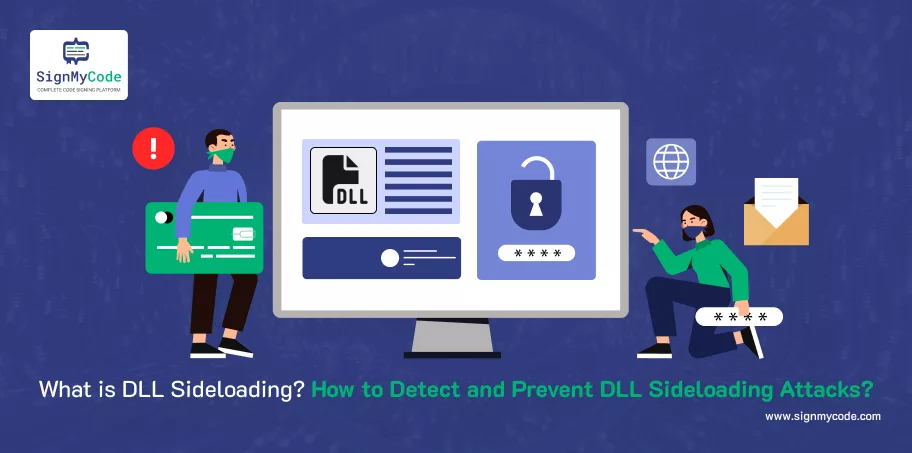
You update your antivirus. You install that fancy EDR. You think you’re safe. But, surprise, Hackers are still getting in without triggering a single alarm. By hijacking trusted apps and making them load malicious code, voluntarily.
This sneaky move is called DLL Sideloading, and it’s becoming the cybercriminal’s favourite backdoor.
Sounds horrifying? It is. But here’s the good news for you. If you understand how DLL sideloading works, you can catch it before it wrecks your system.
In this post, I’ll break down what DLL sideloading is, how attackers use it, and most importantly, how you can detect and prevent it before it causes a security nightmare.
What’s a DLL, and Why Should You Even Care?
Before we dive into DLL sideloading, let’s clear the fog and understand what exactly a DLL is. DLL stands for Dynamic Link Library.
In Windows DLL is a file containing reusable code and data that multiple programs can use simultaneously, often used in operating systems, device drivers, and plugins.
It reduces the size of executable files and memory overhead by sharing code and resources among different programs.
Think of DLLs as libraries where your Windows programs can go to use previously made code anytime. Let’s imagine that three separate apps on your computer open a file selection window.
Rather than every app creating its user interface from the start, they simply insert a shared DLL, known as “comdlg32.dll”, which knows how to do the task.
In Short:
- DLLs are support files that help programs run.
- They contain code, data, or resources (like images, icons, etc.).
- They’re loaded dynamically when needed, rather than being built into the main program.
This dynamic nature is exactly what attackers exploit through DLL Sideloading.
Recommended: What is SQL Injection? SQLI Prevention and Mitigation Tricks
What is DLL Sideloading?
DLL Sideloading is a specific type of DLL hijacking attack. This is the most common form of DLL hijacking. DLL (Dynamic Link Library) sideloading occurs when an application loads a malicious DLL file from a location controlled by the attacker instead of the legitimate DLL it was supposed to load.
This happens because many Windows applications don’t specify the full path of the DLLs they use. Instead, they follow a search order (current directory, system folders, etc.), and attackers abuse this behaviour.
They don’t need to write their malware program in this situation. They add an untrusted DLL with the same title as the real one in the first spot the app looks during its search. As soon as the application is opened, the attacker’s code gets loaded instead.
A person using the system sees only the trusted application on the screen, while the attacker’s code does its work quietly.
Let’s see how an example helps us understand DLL Sideloading:
You’ve got a water bottle that’s clean and well-sealed. You rely on it. You use it for every sip of water you take. Another case to picture is what happens if the poison enters the bottle and the label stays the same, but inside the bottle looks just as untouched as before. Not many would notice that either. That’s the purpose of DLL sideloading.
DLL sideloading is basically an underhanded way to access data. Attackers use your trust in Microsoft’s Windows programs to make them run a harmful file in place of the safe one it was supposed to use. The result? What looks like a trustworthy program will in the background, help hackers gain access. It’s stealthy. It’s smart. It certainly works at terrifying people.
Why is DLL Sideloading So Dangerous?
It looks like the app. It walks like the app. But under the hood? It’s malware wearing a trusted app’s skin. That’s what makes DLL sideloading such a nightmare for cybersecurity teams. It doesn’t break in; it blends in.
It’s a Master of Disguise
Most malware triggers red flags. DLL sideloading doesn’t. Why? Because the attack piggybacks on apps you already trust, apps signed by Microsoft, Adobe, Google, you name it.
Most antivirus tools rely on known signatures, blacklists, or behavioral patterns to detect threats. The DLL sideloading bypasses these defence mitigations because:
- The host application is legitimate.
- The malicious DLL is often obfuscated or custom-written, so it doesn’t match known malware signatures.
- Behavioural monitoring may miss it because it looks like expected activity after all, an app is just loading a DLL, right?
So, unless you’re doing deep behavioral analysis or DLL path monitoring, you’ll never see it coming.
Here’s where things get even scarier. That malicious DLL? It inherits the same permissions as the trusted application. If the app has admin rights or access to sensitive files, so does the malware.
That means:
- It can exfiltrate data silently.
- It can install backdoors without tripping alarms.
- It can turn off security tools before you even notice.
DLL sideloading isn’t just for script kiddies. It’s a favorite tactic of nation-state groups, ransomware gangs, and advanced threat actors. Because it’s Silent, Reliable, Hard to trace, and it works even in locked-down environments.
How DLL Sideloading Works?
DLL sideloading works by exploiting a fundamental way Windows applications search for and load Dynamic Link Libraries (DLLs).
Application Needs a DLL:
Almost all Windows applications rely on DLLs for various functions (e.g., displaying graphics, networking, interacting with the operating system). When an application starts, or when it needs a specific function, it looks for the necessary DLLs.
The DLL Search Order:
When an application requests a DLL by name (without specifying a full path), the Windows operating system follows a predefined search order to find that DLL. This order typically includes:
- The directory from which the application loaded (the current working directory of the executable). This is the crucial point for DLL sideloading.
- The system directory (e.g., C:\Windows\System32).
- The 16-bit system directory.
- The Windows directory (e.g., C:\Windows).
- The current working directory of the process.
- The directories listed in the system’s PATH environment variable
Vulnerable Application Identified:
An attacker identifies a legitimate application that is vulnerable to DLL sideloading. This typically means the application:
- Requests a DLL by name only (e.g., LoadLibrary(“malicious.dll”)) instead of providing the full, absolute path (e.g., LoadLibrary(“C:\Windows\System32\malicious.dll”)).
- It is often a legitimate, trusted, and sometimes even signed executable, which helps the malicious activity appear less suspicious to security tools.
Malicious DLL Creation:
The attacker crafts a malicious DLL file. This DLL is designed to:
- Perform malicious actions (e.g., establish a backdoor, steal data, download more malware, escalate privileges).
- Have the same name as a legitimate DLL that the target application expects to load.
- (Optionally, but common) Act as a “proxy” by also forwarding the legitimate function calls to the real DLL. This makes the legitimate application function normally, making the attack harder to detect.
Strategic Placement:
The attacker then places this malicious DLL in the same directory as the legitimate, vulnerable application’s executable. This is the “sideloading” part.
Execution and Hijacking:
- Launching an official application (or an automated process) prompts Windows to start looking for the needed DLLs.
- As the application’s directory is the first spot Windows inspects for DLLs, it comes across the attacker’s DLL that happens to have the same name.
- Thinking it’s genuine, the program loads the fake DLL instead of the real one that belongs to your computer.
Malicious Code Execution:
The attacker’s code is executed using the same rights as the legitimate application. Should the legitimate application be run with administrator privileges, the attacker will get those rights.
Recommended: How to Identify Malicious Code? Examples, Prevention, and Mitigation
Detection Techniques That Work
If you’re just relying on antivirus to catch DLL sideloading, you’re using a flashlight in a blackout and hoping you bump into the hacker. DLL sideloading is silent, sneaky, and often lives inside trusted apps. That means traditional security tools miss it all the time.
So what works? Let’s break it down:
Behavioral Monitoring
Don’t rely only on static file scans. Instead of looking for known malware, look for weird behaviour. Watch how the app behaves at runtime.
- An app loads a DLL it’s never been loaded before?
- DLLs are loaded from unusual locations (e.g., temp folders, user profile directories).
- The DLL is in a user directory instead of C:\Windows\System32.
- Non-standard DLL names (like update.dll, helper.dll, etc.)
- Suddenly, a text editor starts talking to the internet.
- Unsigned or recently dropped DLLs loaded by signed apps.
Monitor File Paths and Parent-Child Relationships
Track which processes are loading which DLLs and from where. DLL sideloading often involves Use:
- Process Creation Logs (parent → child relationships)
- DLL Load Events (e.g., Sysmon Event ID 7)
- Image Load Tracking to identify anomalous DLLs
- DLLs being loaded from unexpected locations (like Downloads, Temp, or USBs)
- Apps launching with weird parent processes (e.g., Word launching PowerShell)
Your detection logic should ask:
“Should this app be loading this file, from this path, launched by this process?”
Use YARA Rules, EDR, and Sysmon Logs
These tools don’t just log data. They connect the dots.
YARA rules can scan memory and files for patterns of known malicious DLLs.
Sysmon (System Monitor) can log DLL loads, process creation, and more.
EDR tools can flag DLL sideloading based on a mix of behaviors and indicators.
Set up rules like:
- “Alert when DLLs are loaded from non-standard paths”
- “Alert if svchost.exe suddenly loads a DLL from C:\Users”
Don’t Just Log Create ALERT also
Here’s where most teams drop the ball. They collect tons of logs. But no one looks at them until after the breach. Use the SIEM tools and set up real-time alerts for:
- Unsigned DLLs loaded by signed executables
- DLLs loaded from user-writable directories
- Executables loading new DLLs after being idle for months
Common Use Cases for DLL Sideloading in Malware
DLL Sideloading isn’t random. It’s a mainstream malware strategy. It’s a purposeful technique used by Malware developers and threat actors for stealth, persistence, and control.
Let’s break down where and why it’s used:
APT Groups & Nation-State Actors
Advanced Persistent Threats (APTs) love DLL sideloading. Why? Because it’s stealthy, persistent, and perfect for long-term espionage.
It allows them to:
- Blend in with legitimate software
- Avoid triggering antivirus or EDR
- Gain stealthy, long-term access to systems
Examples:
- China-linked APTs like APT10 and Mustang Panda have repeatedly used DLL sideloading in attacks on government agencies and global corporations.
- APT29 (Cozy Bear) used DLL sideloading with signed software like SolarWinds to quietly run malware.
Ransomware Delivery
Before ransomware detonates, it needs to avoid detection, run with system-level permissions, and load into memory cleanly.
How DLL Sideloading Helps:
- It lets attackers embed ransomware loaders in signed apps.
- Can be used to load Cobalt Strike beacons or loaders like Bumblebee or IceID before deploying ransomware like LockBit or Conti.
Persistence Techniques
Some malware doesn’t want to hit fast and run. It wants to stay, burrow deep, and survive reboots. DLL sideloading is perfect for that.
Here’s why:
- It’s disguised as part of a legitimate app
- It often runs automatically when the app starts
- Antivirus often whitelists the parent app
Even if you restart the system, the app reloads, and so does the malicious DLL.
Credential Theft
Many apps have access to sensitive user credentials, SSO tokens, Windows auth, and saved passwords. This isn’t just malware, it’s identity theft.
If malware runs inside that app using DLL sideloading?
- It can scrape credentials from memory
- Intercept password prompts
- Access corporate VPNs or cloud apps as if it were you
How Attackers Exploit DLL Sideloading (TTPs)?
DLL Sideloading isn’t just a trick. It’s a standard tactic in modern cyberattacks.
Here are the most common techniques, tools, and tactics (TTPs):
Abuse of Signed Applications (Even Microsoft’s!)
Attackers abuse legitimate, digitally signed apps to load malicious DLLs. You trust Microsoft-signed apps, right? So does your antivirus. That’s exactly why attackers target them.
Here’s what happens:
- They find a Microsoft-signed app that loads external DLLs
- They drop a malicious DLL with the same name as the app expects
- The app loads the malicious DLL with full trust and no warning
Tactic:
- Copy a trusted EXE (e.g., msiexec.exe, OneDriveSetup.exe)
- Drop a malicious DLL with the expected name in the same directory
- MITRE ATT&CK Reference: T1574.002 – Hijack Execution Flow: DLL Side-Loading
Living-off-the-land Binaries (LOLBins)
Hackers love to live off the land, aka, using what’s already on the system. DLL sideloading through LOLBins means:
- No need to bring custom malware
- Just abuse built-in tools like msiexec.exe, regsvr32.exe, or rundll32.exe
- MITRE ATT&CK Reference: T1218 – Signed Binary Proxy Execution
DLL Preloading (Search Order Hijacking)
This technique takes advantage of Windows’ DLL search order, placing a malicious DLL in a location searched before the actual system path. Windows apps don’t always look in the right place for DLLs. Instead, they follow a search order.
Here is how the Search Order works:
- Application directory
- System directory (C:\Windows\System32)
- Windows directory
- Current working directory
- PATH variable locations
If an attacker places a fake DLL in step 1, it gets loaded before the real one in step 2.
MITRE ATT&CK Reference of this attack is T1574.001 – DLL Search Order Hijacking.
Prevention Tips
DLL sideloading isn’t a script kiddie trick anymore. It’s a go-to move for advanced threat actors. That means your defences need to be better to fight against this. You can stop most attacks by enforcing better software hygiene and execution controls.
Use Windows Defender Application Control (WDAC)
WDAC lets you define what software is allowed to run, based on digital signatures, paths, and more. Think of WDAC as zero-trust for your software. If it’s not trusted, it doesn’t run.
Monitor Execution from Non-Standard Paths
Ask yourself, should legit apps be launching from:
- C:\Users\John\Downloads\
- C:\Temp\
- Desktop\
Malware loves those paths because they’re writable, and Users can drop files there. Set up alerts for binaries executing from suspicious directories.
Normal apps run from “C:\Program Files\” or “C:\Windows\System32\”. Use EDR, Sysmon, or SIEM alerts with parent-child process correlation.
Enforce Code Signing Policies
Unsigned DLLs should be treated like strangers at your front door with suspicion. Make code signing mandatory for all DLLs and executables.
Require digital signatures for:
- All DLLs loaded by critical applications
- Internal software (sign it before deployment)
- Third-party EXEs and installers
Combine with Group Policy:
- Block unsigned scripts
- Enforce publisher certificates
Patch Vulnerable Software
Outdated software is a magnet for sideloading. Attackers look for:
- Known apps with DLL-loading issues
- Outdated versions that skip security checks
Don’t Let Users Run Software from Downloads or Desktop
Letting users run software from arbitrary locations = open door for sideloading. This one’s so basic, but it’s ignored all the time.
Block execution from:
- Downloads
- Desktop
- Removable drives
- Temporary folders
How to Prevent:
- Use AppLocker or WDAC to restrict execution from: “%USERPROFILE%\Downloads\”
“%USERPROFILE%\Desktop\” - Redirect Downloads/Desktop to network shares with no execute permission
- Disable mounting of external drives unless approved
How to Test DLL Sideloading in a Safe Lab Environment?
So if you want to understand DLL sideloading like the pros do, you need to simulate it safely in a controlled environment where nothing goes wrong or protect yourself from accidentally triggering malware in your system.
Here’s how to set up your own mini red team lab to test DLL sideloading, without risking your real system:
Build Your Sandbox environment
Use a Virtual Machine (VM), you can use VirtualBox or VMware for it. Create a guest Windows operating system; you can either use Windows 10 or Windows 11. One most important things is to remember to use an Isolated network configuration. Take a snapshot of a fresh lab environment or base snapshot, so if anything goes wrong, you can switch it back to that state.
Tools you’ll want installed:
- ProcMon (for process and file tracking)
- Process Explorer (to inspect loaded DLLs)
- Autoruns (to see persistent hooks)
- Sysmon + a basic ELK stack or simple EDR like Velociraptor
Conclusion
DLL sideloading isn’t just clever, it’s deadly. It sneaks past antivirus, abuses trusted apps, and gives attackers the keys to your kingdom. But now you know how it works. You know how to spot it. And most importantly, you know how to stop it.
Whether you need help setting up application whitelisting, real-world testing labs, or code signing certificates that hold up in court. Contact us today for expert cybersecurity consulting and verified code signing solutions. We’ll help you lock down your apps before attackers exploit the cracks.
Software Signing Certificates
Protect your Application and Software from from Malicious Attacks and Vulnerabilities with Reputed Code Signing Certs.
Cheapest Code Signing Certificates

