
Apple has Officially Stopped Signing iOS 18.5 & 17.7
Published: August 7, 2025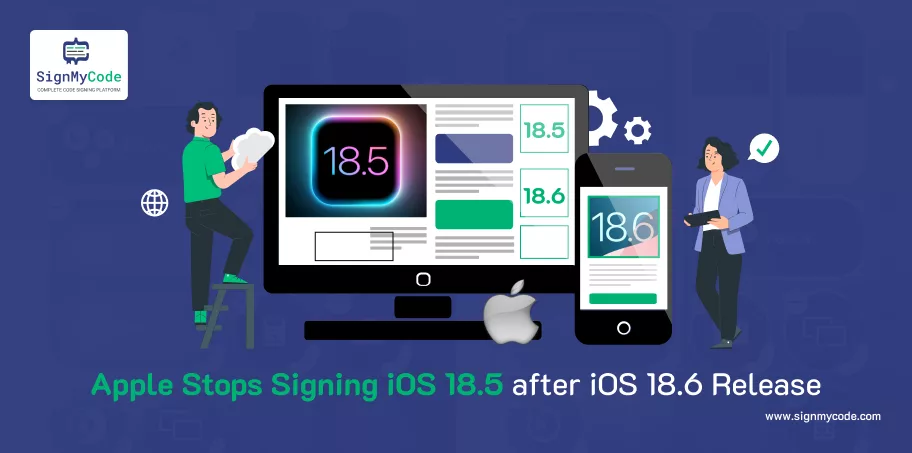
Apple has now stopped signing iOS 18.5, now that it publicly released iOS 18.6 on July 29, 2025. Although this seems like a mundane decision, it holds important consequences, especially for power users, developers, and security researchers.
For iOS 18.6 owners, downgrading to iOS 18.5 is no longer an option, baked into the way Apple has stopped signing iOS 18.5. Apple’s refusal to sign older versions makes any problem regarding restoring, installing, or downgrading to iOS 18.5 impossible.
What Does Stopping Signing Mean?
When Apple stops signing an iOS version, Apple disallows any installation or restoration of that version through iTunes, Finder, or any software tool that allows you to update your device to the version of iOS on your phone, even if you have previously downloaded the IPSW file.
As soon as the version is unsigned, it is deprecated and not verifiable by any Apple servers. This means downgrading, jailbreaking, and testing prior builds are not options anymore.
Why Did Apple Stop Signing 18.5?
Generally speaking, Apple stops signing an older iOS version weeks, sometimes even a few days later, after upgrading those existing users to a new version.
Here are some explanations for this:
- Security: iOS 18.6 made security improvements over 18.5 to patch known vulnerabilities. Apple even confirmed this after releasing a list of security improvements upon updating.
- Stability and Performance: The update also used the opportunity to fix memory issues with the Photos app’s Memories function as well as bugs affecting the general use of the device.
- Regulatory compliance: iOS 18.6 also contained important updates regarding third-party app marketplaces in the EU, indicating Apple’s continued compliance with new digital regulations.
Who Is Affected the Most?
| User Group | Impact |
| Jailbreakers | Loss of downgrade path breaks compatibility with many exploits. |
| Developers | Limits testing environments for apps targeting older firmware. |
| Power Users | Users experiencing bugs in iOS 18.6 cannot revert to 18.5. |
| Regular Users | Little to no impact; updates are OTA and seamless. |
While Apple’s OTA (Over-the-Air) updates make transitions seamless for the typical user, advanced users who rely on firmware behavior or 3rd party tooling typically try to stay on, or sometimes revert to, older versions.
Apple’s Long-term Plan
Apple’s signing policy is not a new tactic – they do this to:
- Limit device fragmentation across the ecosystem
- Enforce consistent security baselines
- Ensure faster uptake of important performance and security updates
By eliminating older builds from their signing process, Apple dramatically increases the chances that most of their devices are operating the safest, most performant version of iOS possible.
This is especially true as Apple prepares for the highly anticipated iOS 26, expected later this year. Timing interim releases like iOS 18.6 (which is not an interim release) but instead prepares devices for upcoming major releases, while also resolving backend behavior and furthering compatibility of massive overhaul efforts.
Also Affected – iOS 17 Devices
With the same security-first approach, Apple also dropped iOS 17.7.9 for non-iOS 18 supported devices and stopped signing iOS 17.7.8, etc…
How to Stay Updated
To update your iPhone:
- Go to Settings
- Tap General
- Select Software Update
- Download and install iOS 18.6
Once you’re on iOS 18.6, there’s no official way to return to 18.5.
Correctly Secure Your App
A valid Apple Code Signing Certificate can help you secure your iOS or Android app against tampering and unauthorized installations. Ensure that your users are getting verified, secure, seamless experiences—no matter how you are distributing your app, whether that is through an App Store or enterprise channel.
Software Signing Certificates
Protect your Application and Software from from Malicious Attacks and Vulnerabilities with Reputed Code Signing Certs.
Cheapest Code Signing Certificates

