How to Build and Implement CI/CD Pipeline with GitHub Actions?
Introduction
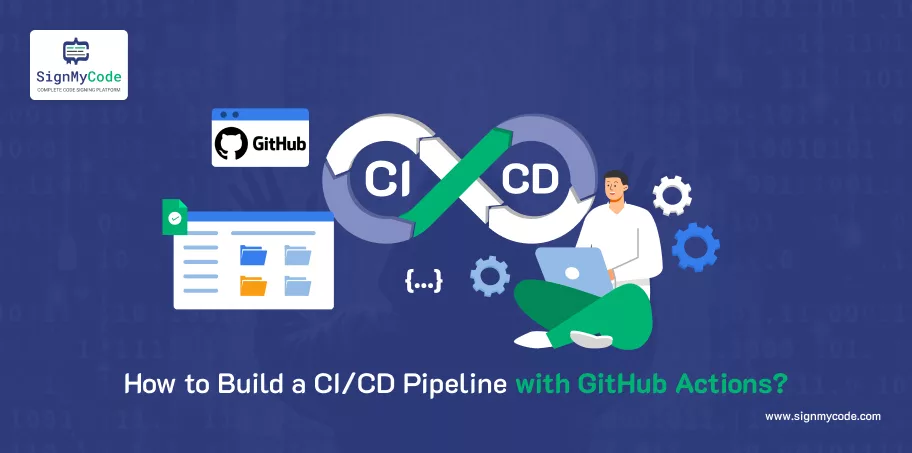
Continuous Integration (CI) and Continuous Deployment (CD) are two essential practices in contemporary software development.
They allow teams to automate the process of building, testing, and deploying applications, and as a result, they help minimize manual errors and decrease the time to release applications to production.
GitHub Actions is a native CI/CD solution that is directly integrated into GitHub repositories, so it can be used by developers at any engagement level.
In this guide, we will cover concepts regarding CI/CD and build a simple pipeline for a Node.js or React application.
Prerequisites
GitHub Account
Before you can build a CI/CD pipeline with GitHub Actions, the primary requirement is that you must have a GitHub account. GitHub will be the centralized place where your code repository will reside and where your Actions workflows will run.
Recommended: What is a Code Repository? Types, Best Practices and Tools for Repository Security
If you don’t have an account yet, please sign up for an account at GitHub.com for free. A GitHub account allows you to create repositories, branch out your code, manage pull requests, and finally use GitHub Actions.
If you are working on a team project, GitHub allows for collaboration with issue tracking, code review, and discussion threads. Without a doubt, GitHub is the bedrock on which you will be building your CI/CD pipeline.
Basic Knowledge of Git
Prior to setting up a CI/CD pipeline, it is important to understand how to use Git. Git is the tool that allows you to manage your project’s source code, track changes, and collaborate with other developers.
Therefore, it is key to become very familiar with the commands git clone, git add, git commit, and git push, as these will communicate with your GitHub repository. You will also need to know how to create branches, how to merge changes, and how to deal with conflicts when they arise.
Recommended: What are GitHub, Git, and GitHub Actions?
CI/CD pipelines are triggered by events such as a new commit or a pull request, so understanding how Git works will allow for a smoother integration.
Understanding Git is essential for committing and deploying code, so having a basic knowledge of Git is key to avoiding mistakes and automating tasks.
A Working Project Codebase
You will need a working project if you want to integrate it with GitHub Actions. This project will run on Node.js, React.js, a static HTML/CSS site, and any software that would like to be automated, etc.
The project should have a clear folder structure and/or configuration files, such as a package.json file for Node.js or a React project, etc. If your repo has a testable or working functional codebase, the pipeline will have the capability to run a build, test the code, and deploy the project code if the previous steps are completed with no issues.
If the code in your repo is not stable, meaning it does not run at least one of the build, test, or deployment steps in the process, the CI/CD process will fizzle out and leave you without a reliable way to support folks running the given software project.
The project codebase is critical and the foundation on which all CI/CD actions (not automated software) reside.
Node.js & npm
To run a Node.js or React app, you need Node.js and npm (Node Package Manager) installed on your machine now. Node.js provides the environment where you run JavaScript outside the browser, and npm manages dependencies in the project. Node.js and npm help to run your application on your local machine, build a project, and test it properly before replicating it with GitHub Actions.
Recommended: npm Supply Chain Attack: What Happened and How to Protect Your Software
By installing Node.js, you’ll ensure your environment is consistent with Actions’ Node setup steps. npm will help install dependencies and run the scripts in your workflow.
If you do not have Node.js and npm configured, your workflow could break during either the install or build step, or both. Node.js and npm will be fundamental prerequisites of any modern JavaScript-based CI/CD pipeline.
Deployment Environment
You will need a destination environment for your application. This may be GitHub Pages for static websites, some cloud service such as Heroku, AWS, or Azure, or a VPS that you have management over.
The destination you choose to deploy your application will influence the way you configure the workflow, including secrets, SSH keys, and possibly the deployment command. For Dockerized applications, you may also need access to some Docker repository.
Recommended: What Is Container Security? Container Security Best Practices, Challenges and Tools
It is best practice to know the destination your app will be deployed to, so an entire CI/CD pipeline can be fully automated, allowing tests, builds, and deployment with little to no manual intervention.
Access to Secrets / Environment Variables
CI/CD pipelines often need sensitive data such as passwords, SSH keys, access tokens, or API keys in order to deploy applications securely.
GitHub has a secure mechanism called “Secrets,” which allows you to store and reference these credentials in workflows without exposing them in your code.
If you correctly use and access Secrets, you can also safely deploy applications, e.g., pushing an application to a cloud platform or logging into Docker Hub.
If your deployments do not encrypt your Secrets, the pipeline does not have the capability to securely authenticate with any remote server or service. Being able to manage your secrets securely is one of the critical security best practices that any CI/CD workflow should use.
Optional: Docker Installed
In the event that your application needs containerization, having Docker installed is a nice-to-have in your workflow. Docker allows you to effectively package your application and its dependencies inside of one container that can similarly run itself in any environment.
Recommended: Zero Trust in DevSecOps Pipelines: Securing CI/CD Pipelines
This is terrific for creating reproducible builds, scaling applications, and deploying to multiple environments (cloud deployments or Kubernetes containers).
In most CI/CD workflows, Docker will likely be used to build the image and push that image to a registry (e.g., Docker Hub or GitHub Container Registry). If you are using Docker locally, you can use it to test and debug your own container builds before adding those builds to an automated pipeline.
Optional: Self-Hosted Runner
While GitHub Actions provides hosted runners for your workflows, you may decide that a self-hosted runner is the better approach and you want to have full control of your CI/CD environment.
A self-hosted runner can be a VPS you own, a local server or a cloud VM. With a self-hosted runner, you can pre-install dependencies, manage resources, and execute builds in persistently available environments.
Recommended: AWS Lambda GitHub Actions Integration: Streamlining Serverless CI/CD
A self-hosted runner is good for resource-intensive tasks, private repositories, or if your organization needs strict compliance worksheets. However, with self-hosted runners, you will need to manage security, maintenance and uptime of the services.
Self-hosted runners provide a flexible and fast option for repeatedly executing builds, but take on more responsibility than GitHub-hosted runners.
Steps to Build a CI/CD Pipeline with GitHub Actions
Step 1: Create Your Repository
- Make a GitHub repository for the project.
- Clone it to your local machine:
git clone https://github.com/your-username/my-ci-cd-project.git
cd my-ci-cd-project- Add your project files (e.g., Node.js or React app).
- Commit and push the changes:
git add
git commit -m "Initial commit"
git push origin main
Step 2: Set Up GitHub Secrets
As we need to store credentials and tokens securely, we can use GitHub secrets.
- To set up GitHub secrets: Navigate to Settings → Secrets and variables → Actions in your repository.
- Click New repository secret.
- Add secrets such as:
- GITHUB_TOKEN to deploy to GitHub Pages
- HEROKU_API_KEY to deploy to Heroku
- DOCKER_USERNAME and DOCKER_PASSWORD for Docker workflows
- Each of these secrets will be accessible in the workflows using ${{secrets.SECRET_NAME}}.
Step 3: Create Your GitHub Actions Workflow
- Create the workflow directory within your project: mkdir -p .github/workflows
- Create your workflow file, such as ci-cd-pipeline.yml.
- Start defining your CI/CD pipeline using YAML:
name: CI/CD Pipeline
on:
  push:
    branches:
      - main
  pull_request:
    branches:
      - main

jobs:
  build-test:
    runs-on: ubuntu-latest

    steps:
      - name: Checkout Code
        uses: actions/checkout@v3

      - name: Set up Node.js
        uses: actions/setup-node@v3
        with:
          node-version: '18'

      - name: Install Dependencies
        run: npm install

      - name: Run Tests
        run: npm test
      - name: Build Project
        run: npm run build

  deploy:
    needs: build-test
    runs-on: ubuntu-latest
    steps:
      - name: Checkout Code
        uses: actions/checkout@v3

      - name: Deploy to Heroku
        env:
          HEROKU_API_KEY: ${{ secrets.HEROKU_API_KEY }}
        run: |
          heroku git:remote -a your-heroku-app
          git push heroku main
Explanation:
Triggers (on): The workflow runs on code push or pull request to main.
Jobs: build-test runs first, checks out code, installs dependencies, runs tests, and builds the project.
Deploy: Runs after build-test succeeds and pushes the app to Heroku.
Step 4: Optional Enhancements
Deploy to GitHub Pages
For static websites or React apps:
- name: Deploy to GitHub Pages
  uses: peaceiris/actions-gh-pages@v4
  with:
    github_token: ${{ secrets.GITHUB_TOKEN }}
    publish_dir: ./build
Build and Push Docker Images
For containerized applications:
- name: Log in to Docker Hub
  uses: docker/login-action@v2
  with:
    username: ${{ secrets.DOCKER_USERNAME }}
    password: ${{ secrets.DOCKER_PASSWORD }}

- name: Build Docker Image
  run: docker build -t ${{ secrets.DOCKER_USERNAME }}/app:latest .

- name: Push Docker Image
  run: docker push ${{ secrets.DOCKER_USERNAME }}/app:latest
Self-Hosted Runners
Utilize your server to achieve faster build times or create your own environment. To do so:
- Go to Settings → Actions → Runners → New self-hosted runner.
- Follow the GitHub instructions to register your runner and configure it.
Step 5: Monitor Your Pipeline
- Add a change and push your commit to fire off the workflow.
- Go to the Actions tab in your repository.
- You can view logs of each job and step.
- Make another commit to see the automated builds, tests, and deployment cycle.
Conclusion
Ready to take your DevOps game to the next level? GitHub Actions makes CI/CD simple, and SignMyCode ensures your deployments stay secure and reliable. Start your automation journey now! Leverage the CI/CD workflow with Azure Key Vault Code Signing.
Cloud Code Signing
Seamless Automated Code Signing Tasks without Need of Physical HSM or Token using Cloud Code Signing Certificate.
Code Signing as a Service