
DigiCert Software Trust Manager & DigiCert KeyLocker: Difference Explained
Published: April 21, 2026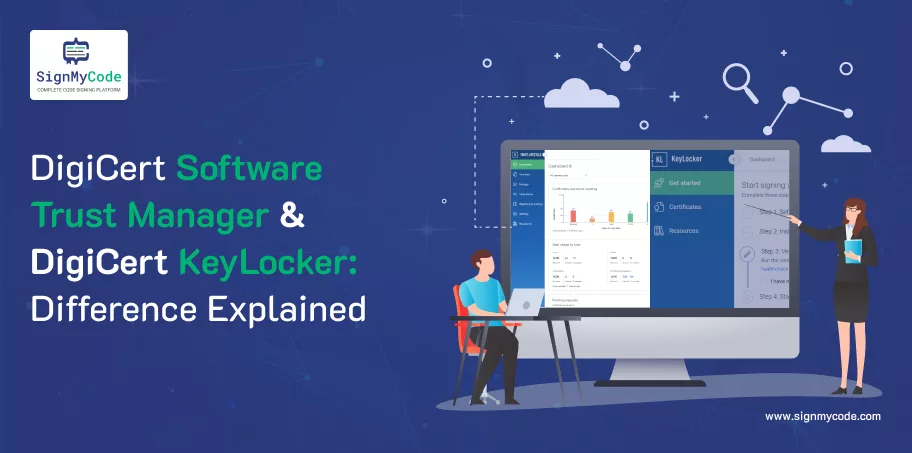
Introductions
As the volume of software supply chain attacks continues to grow, organizations must increase controls over how they sign, store, and release code.
DigiCert has launched two cloud-based solutions that help organizations both protect their private keys and improve the efficiency of their code signing operations: DigiCert KeyLocker and DigiCert Software Trust Manager.
Both DigiCert solutions securely store keys and provide organizations with the ability to automate processes; however, they address different needs related to operational support and governance.
This guide explains how these two solutions differ so you can choose the one that is right for your organization.
What Is DigiCert® KeyLocker?
DigiCert KeyLocker is a cloud-based solution designed to manage private keys used to issue code signing certificates without requiring physical hardware tokens or on-premises HSMs (hardware security modules).
Private keys are generated and stored in a FIPS 140-2 Level 3 compliant cloud HSM, helping organizations to protect their signing credential (the private key) from being lost, stolen, or misused. As a result, the operational problems related to using USB tokens or by storing private keys locally are eliminated.
In addition, KeyLocker allows developers to sign their code remotely from any location using protected keys within DigiCert’s secure infrastructure. This solution is typically provisioned when ordering a code signing certificate from DigiCert CertCentral, making it easy to deploy.
Read More on: KeyLocker Benefits, Working, Integration
What Is DigiCert® Software Trust Manager?
DigiCert Software Trust Manager is a holistic software supply chain security framework, going beyond just securely storing keys.
Software Trust Manager uses the same cloud-based HSM technology that protects code signing keys; however, it also includes governance, policy enforcement, threat scanning, and compliance management, making this product perfect for companies that require more than just secure keys.
Additionally, Software Trust Manager can be integrated into a CI/CD (Continuous Integration / Continuous Deployment) pipeline to automate scanning and signing processes. This will also allow for role-based access control, an approval process, an audit log of activities, the generation of Software Bills of Material (SBOM), and signing enforcement driven by policy.
As such, it provides value to organizations that are responsible for managing a complex development workforce, accommodating regulatory compliance, and interacting with changing cryptographic standards, such as future preparation for post-quantum cryptography.
Read More on Software Trust Manager Features, Tools, and Integration
Software Trust Manager vs DigiCert KeyLocker Difference
| Feature | DigiCert KeyLocker | DigiCert Software Trust Manager |
| Cloud HSM Storage | Yes | Yes |
| FIPS Compliance | Yes (Level 3) | Yes (Cloud HSM compliant) |
| Role-Based Access Control (RBAC) | Limited | Advanced team-based RBAC |
| Multiple Simultaneous Signers | Not Designed For | Supported |
| Threat Scanning | No | Yes |
| SBOM Generation & Signing | No | Yes |
| Policy-Driven Signing | No | Yes |
| CI/CD Integration | Basic Signing | Deep DevOps Integration |
| Audit Logs | Basic | Detailed & Auditable |
| PQC-Ready Encryption | Not Core Focus | Supported |
When to Choose DigiCert KeyLocker
If You Only Need Secure, Compliant Key Storage
If your organization’s primary concern is protecting private keys used for code signing then KeyLocker is a viable option.
KeyLocker allows you to create and store your private keys within a FIPS 140-2 Level 3 compliant cloud HSM (hardware security module) environment, thus significantly decreasing the potential for key compromise.
By using DigiCert KeyLocker, you do not have to invest in an expensive on-premise HSM infrastructure; you can use cloud-based storage options that are compliant with industry standards and keep your management overhead low.
Recommended: How to Purchase a DigiCert KeyLocker Certificate?
If You Want to Eliminate Hardware Tokens
Many organizations still use USB tokens to securely store their code signing keys. While this may be a viable option, it can lead to operational bottlenecks and security risks (e.g., tokens can become lost, stolen, damaged, or locked onto one physical machine).
With KeyLocker, you can eliminate these risks by transferring your private key storage from token-based systems to cloud-based storage. As a result, authorized individuals can now sign code from anywhere with internet access, rather than relying on a token.
In addition, once you have moved to KeyLocker, you will have less need to worry about access restrictions when managing your key protection processes.
If Your Signing Workflow Is Simple and Centralized
For teams that have basic signing procedures and are relatively small to mid-sized, there really is no need to have advanced features for governance.
In these cases, if you only have a handful of signers and do not require complex approval processes or policies to govern how each member should act as a signer, then KeyLocker offers a fantastic solution that is uncomplicated.
This is to operate and gives you the ability to securely sign without adding any complexity to your day-to-day operations.
Recommended: How to Configure DigiCert KeyLocker on Windows?
If You Don’t Require Built-In Threat Scanning or SBOM Management
KeyLocker fits best in an environment where a company manages its own vulnerability scanning and compliance checks through third-party tools or processes.
It has no built-in scanning of malware or creation of SBOMs (Software Bill Of Materials) and does not have any sort of policy enforcement capabilities; thus, organizations can manage their own data through other third-party tools and processes.
Therefore, KeyLocker provides an effective method for securely storing and providing access to the keys it creates, but it has no overlapping features.
Recommended: Most Common SBOM Signing Errors
When to Choose DigiCert Software Trust Manager
If You Need Enterprise-Level Governance and Control
Software Trust Manager is meant for organizations requiring governance of their entire code signing ecosystem.
Whether you have one department with multiple teams or have a centralized code signing organization with multiple teams spanning multiple locations, you would utilize Software Trust Manager’s role-based access control (RBAC), activity log, and policy enforcement features.
Properly managing signatures will align with your defined security policies, with all actions being traceable for compliance.
Recommended: NIST Supply Chain Security Guidance for CI/CD Environments
If You Want Integrated Threat Scanning Before Signing
In the current software supply chain, if code is signed that is either vulnerable to attack or infected with a virus, it can cause significant reputational or financial harm.
Software Trust Manager integrates virus detection, vulnerability scanning, CVE verification against known vulnerabilities, and license validations as an integral part of the signing workflow to ensure that your entire code signing process has been fully evaluated prior to being signed.
As such, you minimize the probability of releasing compromised software that does not comply with your organization’s defined security policies.
Policy-Based Signing and Approvals Workflows Required
Strict approval workflows are common in the regulated industry for software releases. Software Trust Manager includes signing guardrails within workflows, allowing administrators to define the barriers that must be met prior to signing any code.
The solution also enables multi-level approvals, automated security policy enforcement, and condition-based signing control to mitigate insider risk and human error.
CI/CD and DevOps Environment
Automation is critical for teams that practice continuous integration (CI) and continuous delivery (CD) of software. Automation of scanning and signing is integrated into CI/CD pipelines through the Software Trust Manager with no manual intervention required during the build and release cycle.
This reduces time-to-deployment and ensures continual compliance with security standards.
Recommended: OWASP Top 10 CI/CD Security Risks & Mitigation
Preparing for Regulatory Compliance and PQC Readiness
Enterprises facing rigorous regulatory requirements and those preparing to adopt post-quantum cryptography (PQC) require long-term cryptographic agility.
Software Trust Manager provides automated certificate lifecycle management, secure key rotation, and a roadmap for the deployment of NIST-approved quantum-resistant algorithms.
It is an excellent legacy-based solution for organizations with resilient software security strategies.
Conclusion
Don’t leave your software integrity up to luck. Secure the integrity of your supply chain, protect your company, and make your signing experience as productive as possible using SignMyCode to sign your code confidently. Go ahead, take action and sign your code.
Cloud Code Signing
Seamless Automated Code Signing Tasks without Need of Physical HSM or Token using Cloud Code Signing Certificate.
Code Signing as a Service

