
What is Continuous Signing in CI/CD? Importance and Best Practices
Published: July 8, 2025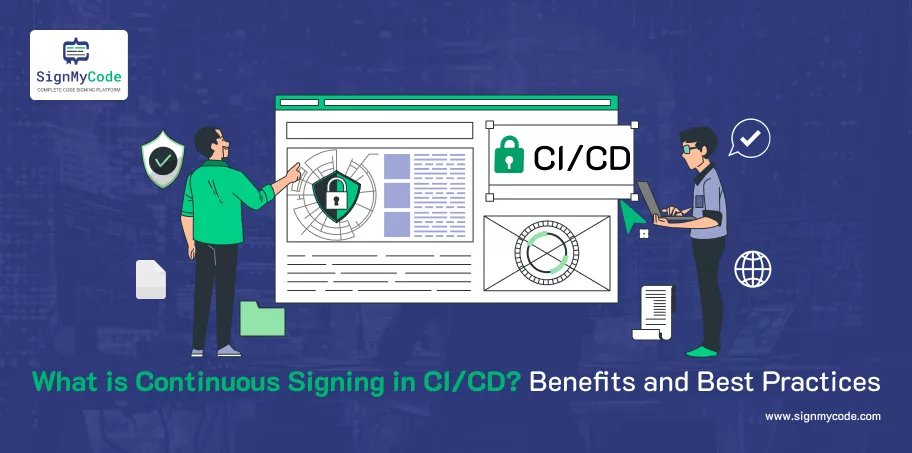
Keeping your software secure has become more important than ever due to various types of cybersecurity threats. If you are thinking about what measures you can take to protect it, then Continuous Signing in CI/CD is one way.
Continuous Signing in CI/CD (Continuous Integration/Continuous Deployment) is a method that helps ensure that your code and data are protected throughout the development process.
By continuously signing your software, you add a layer of security that verifies the integrity and authenticity of your code. This process prevents unauthorized changes in your code.
In this blog, we’ll explore what continuous signing is, its benefits, and best practices to keep your software and data secure in a continuous delivery pipeline.
But before diving into Continuous Signing, let’s understand what CI/CD is.
What is CI/CD?
Continuous Integration and Continuous Deployment (CI/CD) are methods that allow quick, consistent, and secure software changes by automating the development processes.
In a CI/CD pipeline, continuous integration (CI) checks and validates each stage of development. This process automates code merging and testing and speeds up the code release cycles. It helps minimize the probability of extended feature development cycles and reduces issues like merge conflicts.
Continuous deployment (CD) automates the process of moving a bundled software artifact into a production environment as quickly as possible. It automates the entire distribution process, which includes deployment as well.
What is Continuous Signing?
Continuous signing is an automated process that digitally signs software artifacts during the CI/CD pipeline. This process ensures that only trusted components are deployed to production. It protects your software from potential threats.
With continuous signing, you can confirm that every piece of code is authentic and hasn’t been altered. Continuous signing adds a layer of security to your code. It makes your software more reliable to users as well.
How Does Continuous Signing Work?
A CI/CD pipeline helps in automating the building, testing, and deployment of software. When continuous signing is added to the pipeline, it automatically signs the code with a digital signature every time there’s a change in the code of the software.
Here’s how the continuous signing process works.
- The system detects a change in the codebase.
- The automated signing process begins.
- A private key is used to create a digital signature.
- The digital signature is applied to the code or its compiled artifact.
- Verify the digital signature to make sure that the code hasn’t been altered after the signature was applied.
- After the verification is done successfully, deploy the code for production.
Top Benefits of Continuous Signing in CI/CD
Let’s look at some of the major benefits of Continuous Signing in CI/CD.
Enhanced Security
By implementing Continuous Signing in the CI/CD pipeline, you can ensure that only verified code is deployed to production. This process reduces the risk of vulnerabilities in your code. If someone tries to tamper with the code, the signature will be invalid. It will alert you about the potential security threats.
Continuous Signing helps prevent malware and other attacks from entering the pipeline and keeps your software secure.
Automated Releases
You can automate the Continuous Signing process in CI/CD pipelines as well. This means that the signing happens automatically. Automating the signing process means it would not matter who is working on the code and at which development stage the code is.
In this way, the developers don’t have to sign the code manually. It will save more time and reduce mistakes that happen due to manual signing. By automating the signing process, the developer can speed up code releases.
Better Development Practices
If the developer links the continuous signing with CI/CD tools, then they will be able to catch signing errors early. If anyone tries to tamper with the code, the developer will receive a failure notification, giving them the chance to fix the issue quickly. Detailed logs of build and deployment activities provide clarity and help to improve the overall development process.
Top Continuous Signing Best Practices
Let’s look at some of the top best practices that you can follow for Continuous Signing in CI/CD.
Control or Restrict Access to Keys
Private keys are very important for continuous signing. If these keys are stolen, then attackers can sign any malware and distribute it as if it were legitimate software.
So, keeping your code signing keys secure is essential for protecting your application from cybercrime.
- One way to keep your keys safe is by limiting their access.
- You can set up approval processes and security policies to control access.
- Use role-based access control to make sure that only authorized people can use your keys.
- Keep audit logs as well to track who accessed the keys and why.
This method will help in preventing unauthorized access and will reduce the risk of security breaches.
Store Keys in a Highly Secure Location
The developer should keep the key for signing in a secure location. Storage places such as hard drives, developer machines, or build servers are risky because these places are vulnerable to attackers. So, developers should always store the keys in highly secure places such as a FIPS 140-2 level 3 hardware security module (HSM).
Because HSMs are designed to be tamper-resistant, it is very difficult to break into them. The HSM keeps your keys safe by preventing unauthorized access and export. This means that your code signing keys are protected from hackers, and your software is secure. HSM safeguards your keys and increases your overall security.
Carry Out Code Integrity Checks
One of the best continuous signing practices is to verify the integrity of the code before publishing it. The developer should digitally sign their code with a signing key, and every signature must be checked before publishing to ensure the code is not tampered with.
The continuous signing system should compare the code on the build server with the source code repository to ensure its authenticity.
After all these checks are completed, the final build will be released. This whole process is important to ensure that the software is secure. If the developer fails to verify code integrity, then it will lead to data breaches. The SolarWinds breach is an example of this.
Simplify Code Signing for DevOps
Your DevOps teams need to function at speed. But manual continuous signing can slow them down. Developers often use shortcuts to speed up the process, like sharing keys, which can lead to major security risks. To address this issue, use an automated certificate lifecycle management (CLM) solution.
Integrate this solution with other DevOps tools and automate the certificate process. This automation will simplify and speed up the signing process and ultimately reduce the security issues. As CLM automates the certificate management, your DevOps teams can now maintain the security of the code without compromising on speed.
Establish Visibility and Centralized Management
If any developer manages certificates and keys manually, then it doesn’t have complete visibility and centralized control. However, without a centralized system, policy enforcement and access control become challenging, especially if you have multiple DevOps teams.
Recommended: Code Signing for Secure DevOps and DevSecOps: Centralized Management and Automation
Centralizing the system will give you a clear view and control over all certificates and keys. With this approach, you can monitor signing activities and quickly address security issues. Centralized control will help you to better manage and secure your certificates.
Time Stamp Your Code While Signing
A time stamp adds a date and time to your digital signature, which shows when the software was signed. Code signing certificates usually last up to 3 years, and after they expire, the signature becomes invalid. This expiry raises major security alerts.
But time stamping the code helps customers verify the legitimacy of your code by seeing the date and time added to your signature. It shows when the code was signed and if it is still valid or not.
Time-stamping the code increases the trust of customers in your software. It also saves money as you don’t have to renew your certificates frequently.
Conclusion
Continuous signing in a CI/CD pipeline ensures that every code change is automatically signed with a digital signature. It provides a layer of security and authenticity to the system. The whole process involves detecting changes, generating and applying a digital signature, and verifying the signature before deploying the code.
By using continuous signing, you can enhance the integrity of your software. This method makes sure that the code is safe for production. It boosts security and automates the whole deployment process. The CI/CD makes your system more efficient and reliable and helps you deliver high-quality software to customers.
FAQs
What is Continuous Delivery in DevOps CI/CD?
Continuous delivery in DevOps CI/CD usually means a developer’s changes to an application are automatically bug-tested and uploaded to a repository or a container registry. There, the changes in the code can be deployed to a live production environment by the operations team.
What is the Main Purpose of Continuous Delivery?
Continuous delivery lets the developer automate testing beyond just unit tests. It helps the developers to verify application updates across multiple dimensions before deploying to customers. These tests include UI testing, load testing, integration testing, API reliability testing, and many more.
What is Continuous Testing in CI/CD?
Continuous testing in CI/CD helps in tracking the testing for application, microservice, and API security vulnerabilities or logic flaws. The continuous testing works with existing CI tools to detect any security issues early. This process saves both your time and effort.
What is the Purpose of Code Signing?
The main purpose of code signing is to protect software and applications at every stage of their lifecycle, starting from development, build, distribution, and maintenance. The code-signing process increases customer trust by providing proof of authenticity and integrity. The signing signals that the signer is verified and legitimate and the software hasn’t been altered since signing.
Cloud Code Signing
Seamless Automated Code Signing Tasks without Need of Physical HSM or Token using Cloud Code Signing Certificate.
Code Signing as a Service

